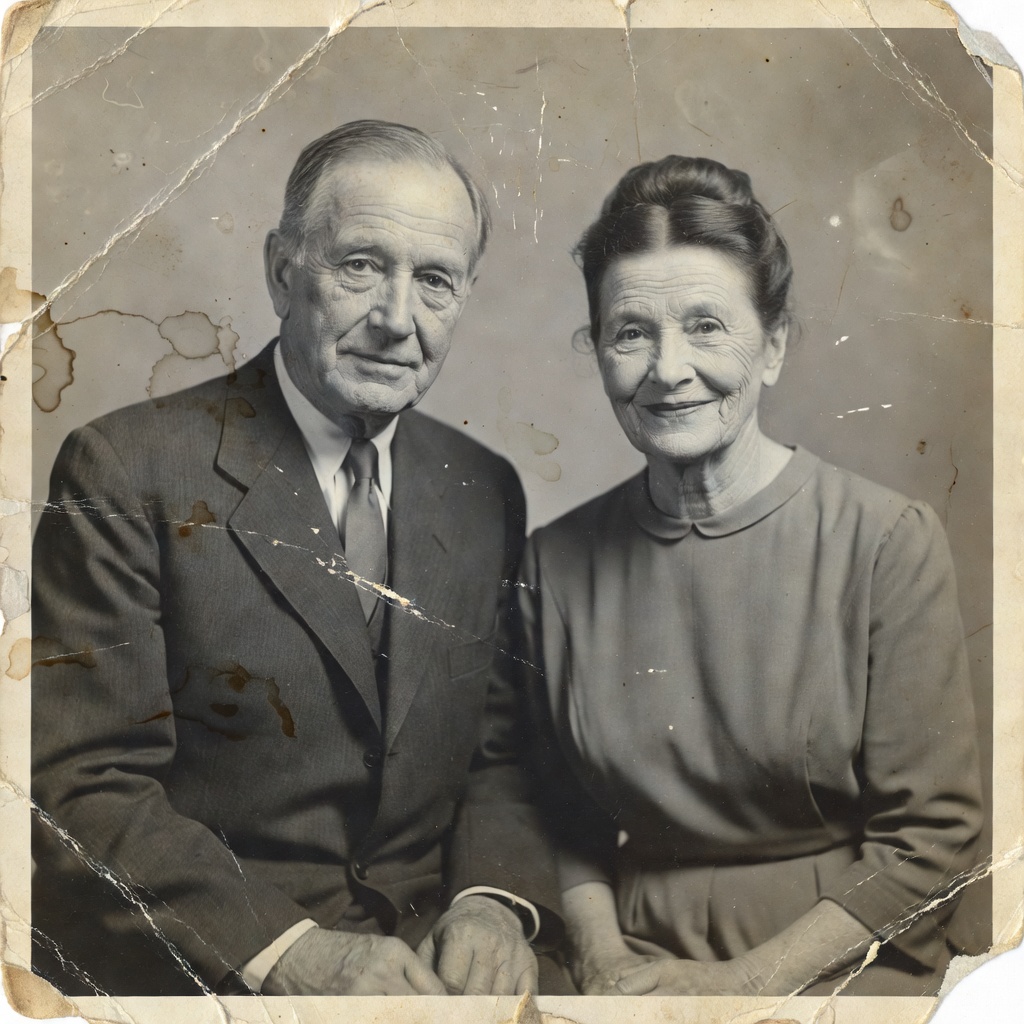
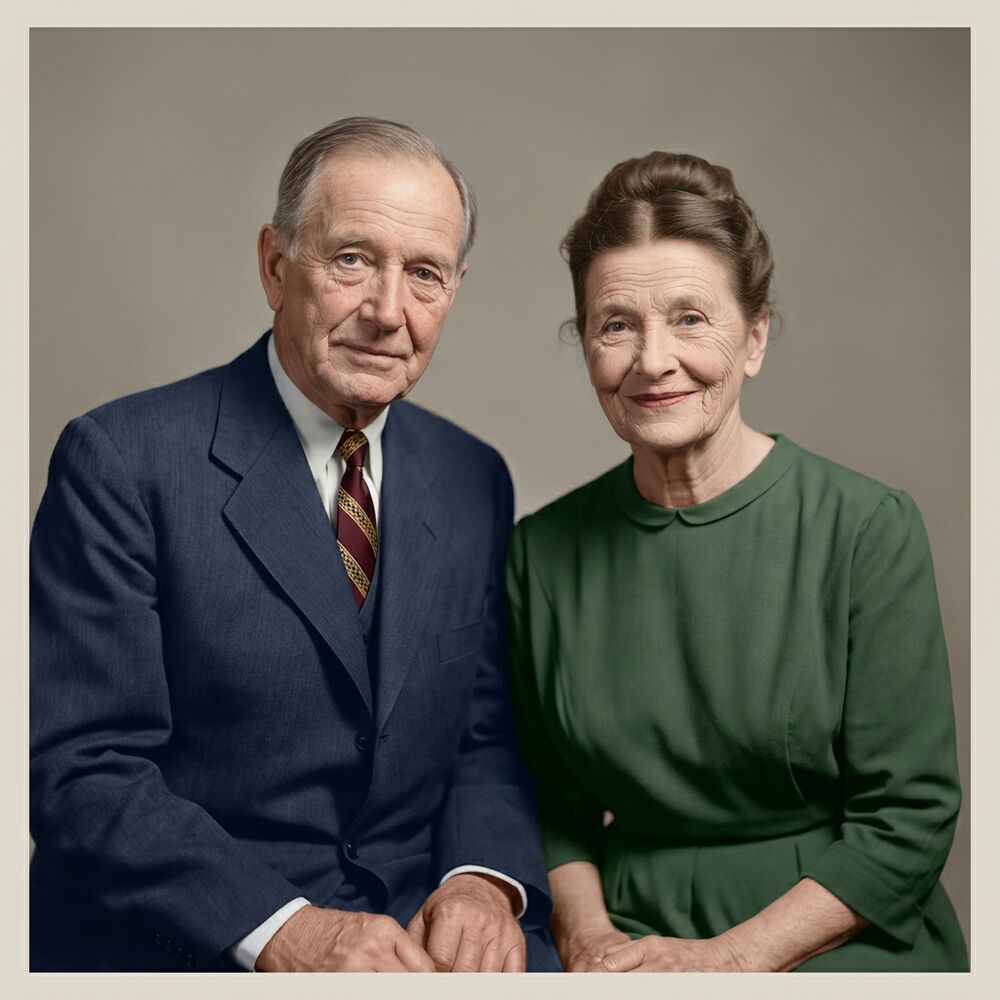
Old photographs don't last forever. Prints yellow, colors shift, emulsion cracks, and the shoebox in the closet slowly loses the faces you loved. AI photo restoration gives you a way to bring those pictures back — not by re-drawing them, but by repairing the damage that time and handling left behind while keeping the people exactly who they were.
Reviva is built for exactly that: you upload a picture of an old print, choose how you want it restored, and download a repaired, high-resolution version. There's no software to install and no editing skill required. And because the first photo is free, you can see precisely what the AI does to your photo before deciding whether to restore the rest of the album.
What "restore old photos online" actually means
When people search for how to fix old photos, they usually mean one or more of these problems:
- Fading and color shift — the picture has gone flat, orange or grey with age.
- Physical damage — scratches, tears, creases, water stains, missing corners.
- Lost detail — soft focus, low contrast, faces that have gone murky.
- No color at all — a black-and-white or sepia print you'd love to see in color.
Traditional restoration means hours in Photoshop with a clone-stamp and a steady hand, or paying a professional retoucher $30–$150 per image. AI does the same repair work automatically. The result is not a filter laid over the top — the model reconstructs the damaged areas and rebalances the tones, so the photo looks like a well-kept original rather than an edited one.
How photo restoration with AI works
The process at Reviva is three steps and takes under a minute:
- Upload your photo. A scan is ideal, but a straight-on phone photo of the print works well too. JPG, PNG and HEIC are all fine.
- Choose a restore mode. Repair and keep it black-and-white, repair and add natural color, or the full studio finish with a gentle retouch.
- Download and share. You get a clean, high-resolution file to save, print or send to family.
Under the hood, the model has been guided to remove damage and rebalance the image without altering identity. That last part matters more than anything: a restoration is worthless if it turns your grandmother into a stranger. Every mode is instructed to keep faces, features and likeness unchanged.
Getting the best result
The quality of a restoration depends heavily on the quality of the input. A few minutes of care before you upload pays off:
- Photograph or scan the print in flat, even light — a window on an overcast day is perfect.
- Fill the frame with the photo and shoot straight-on to avoid keystone distortion.
- Wipe dust off the print gently; the AI can handle dust but a clean start is better.
- Capture at the highest resolution your phone or scanner offers.
If your photo is badly torn or has large missing areas, read our honest guide to repairing damaged photos — it explains what AI can rebuild convincingly and where the limits are.
Restore one photo or a whole album
Most people don't have one old photo — they have a drawer full. Reviva lets you drop in a batch, restore them all at once, and download the set together. Credit packs are one-time purchases, and you can work through the archive at your own pace. If you're taking on a bigger project, our guide to saving your family photo archive walks through organizing and preserving everything, not just repairing it.
Is it free?
Your first photo is genuinely free — no card, no signup — so you can judge the result on your own picture. After that, one-time credit packs start at $9.99 and work out to a fraction of what a manual retoucher charges per image. One credit restores one photo.