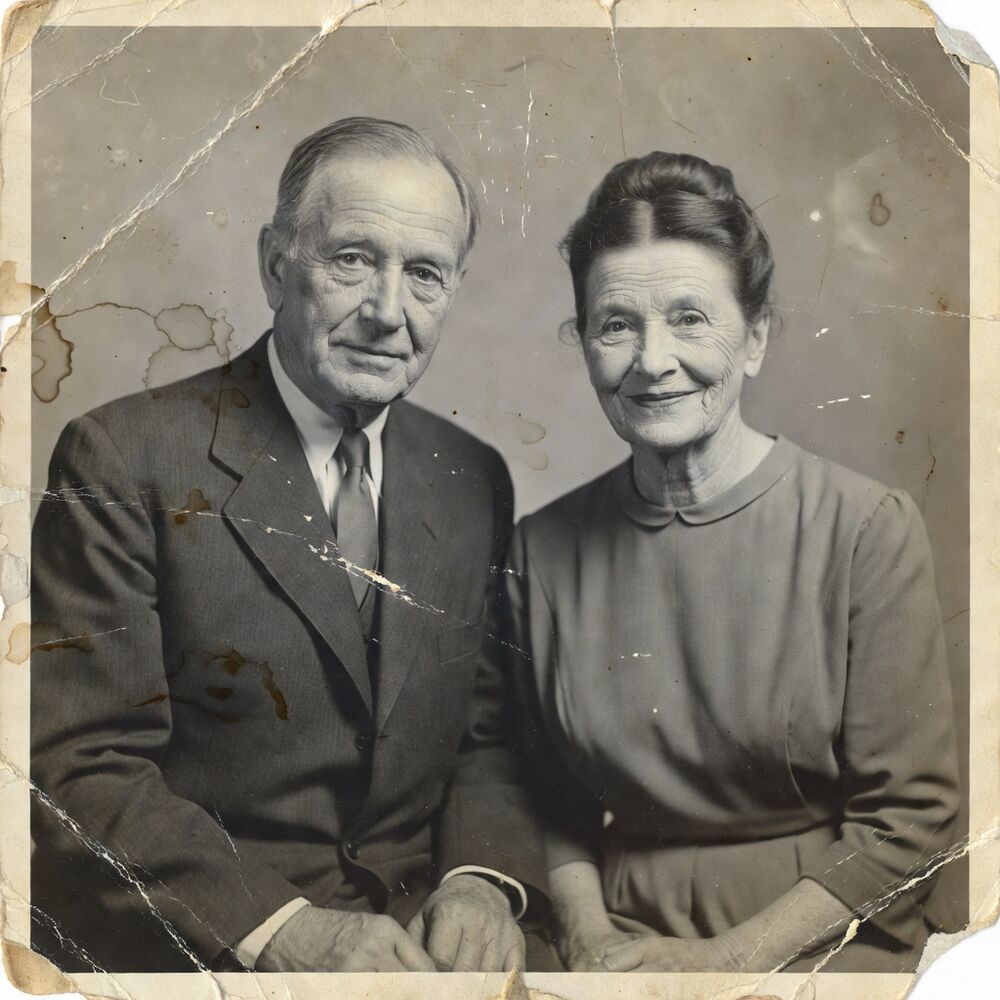
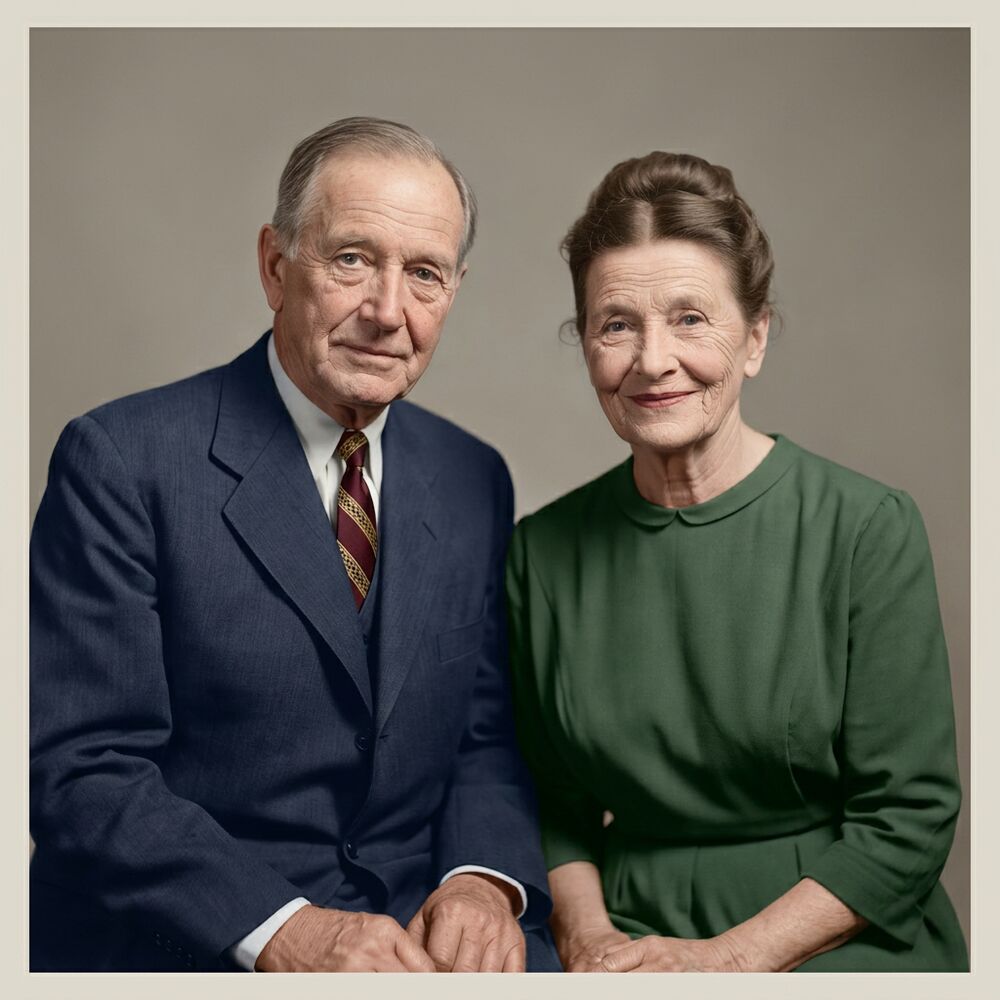
A black-and-white photo holds all the information a colorization needs — it just doesn't show it. The tones of a red dress, green grass and warm skin are all encoded in the greys; the challenge is deciding, plausibly, which grey was which color. That used to be painstaking manual work. AI does it in seconds by drawing on what tens of millions of real photographs taught it about how the world looks.
Reviva's Restore & Colorize mode does two jobs at once: it repairs the damage on the print — scratches, fading, spots — and adds color. You can also choose a faithful repair that keeps the original black-and-white if you'd rather preserve the monochrome look. Both keep every face unchanged.
What makes AI colorization look natural
The difference between a colorization that moves you and one that looks like a coloring book comes down to a few things:
- Believable skin tones. Faces are where the eye is least forgiving. The model is tuned for realistic, period-accurate complexions rather than uniform pink.
- Restrained, era-appropriate color. A 1950s photo shouldn't look like it was shot on modern film. Muted, plausible palettes read as authentic.
- Consistency across the frame. Clothing, background and foreground colors that make sense together, without bleeding across edges.
- No identity drift. Adding color must never reshape a face. Likeness is preserved by design.
How to colorize your photos
- Upload the black-and-white photo. A clean scan or phone photo of the print gives the AI the most detail to work with.
- Pick "Restore & Colorize." The mode repairs damage and adds color in one pass.
- Download. You get a full-resolution color version you can save, print or share.
If the first result feels slightly off — a color you know is wrong — you can restore it again; the model produces a fresh interpretation each time.
When to keep it black-and-white
Colorization is powerful, but it isn't always the right call. A formal portrait, a wartime photo, or an image whose whole mood lives in its monochrome contrast can lose something in color. Reviva doesn't force it: the Faithful Restore mode cleans up the damage and sharpens detail while leaving the original black-and-white or sepia tones intact. Many people restore both versions — one repaired-monochrome, one colorized — and keep whichever moves them more.
Which photos colorize best
Some black-and-white photos come alive in color more readily than others. Portraits and family groups are ideal — faces give the model clear anchors for realistic skin tones, and clothing and backgrounds fall into place around them. Outdoor scenes with sky, foliage and skin also colorize convincingly because the model has strong expectations for those colors. The trickiest subjects are close-ups of ambiguous objects, hand-tinted photos, and very low-contrast prints where the greys are too flat to separate. If a first attempt looks muted, a cleaner capture of the print with better contrast almost always improves the color result.
Honest expectations
AI colorization is an educated reconstruction, not a record of the truth. The model gives its best guess at colors it can't actually know — the exact shade of a dress or the color of someone's eyes may not match reality. What it reliably delivers is a natural, cohesive, emotionally convincing color image. Treat it as a beautiful interpretation of the moment, and it rarely disappoints.
Colorization is one part of full photo restoration. If your photos are also damaged or faded, the same upload handles both — repair and color together.